
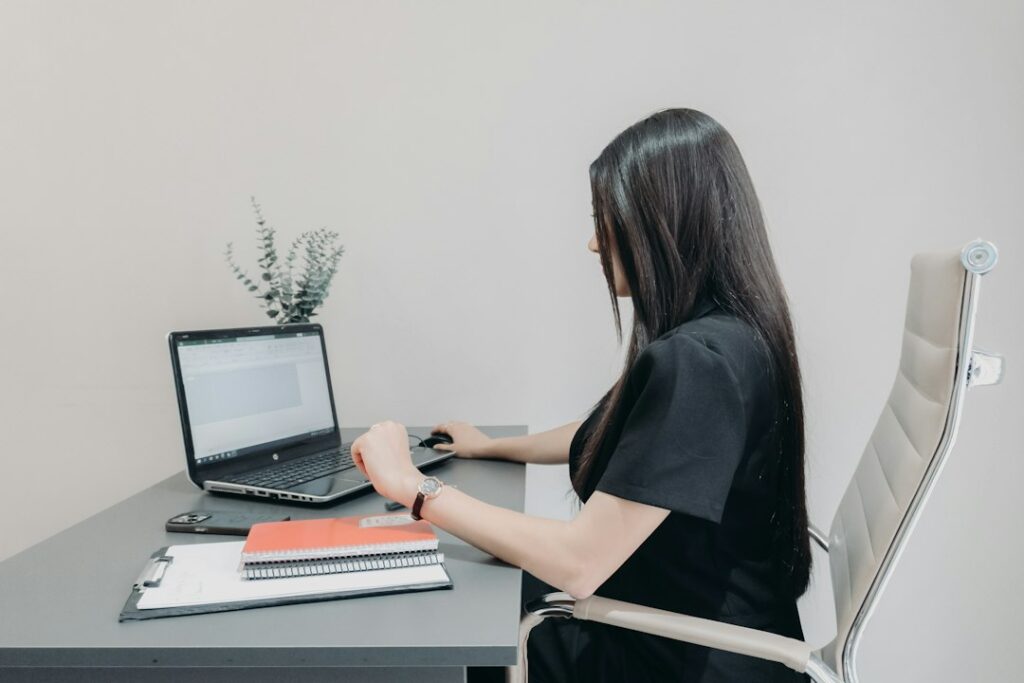
Students and children spend many hours sitting, reading, writing, using tablets, carrying backpacks, and completing homework. Small adjustments to these daily activities can reduce unnecessary strain on the neck, shoulders, back, wrists, and eyes.
Ergonomics is not about holding a rigid “perfect posture.” It is about arranging the body, furniture, tools, and schedule so that children can learn comfortably and change positions often.
What does good ergonomics mean for children?
Good ergonomics means matching the study environment to the child rather than expecting the child to adapt to furniture that is too large or poorly arranged. A supportive setup allows the head to stay balanced, the shoulders to remain relaxed, and the feet to rest on the floor or a stable footrest.
Children grow quickly, so a setup that worked last school year may no longer fit. Check the chair, desk, backpack, and screen position periodically, especially during growth spurts or when homework habits change.
A practical seated position includes:
- Head level rather than bent sharply forward
- Shoulders relaxed instead of lifted or rounded
- Elbows close to the body
- Forearms supported when possible
- Wrists straight while writing or typing
- Hips positioned toward the back of the chair
- Feet supported on the floor or a footrest
- Knees bent comfortably, generally near a right angle
This position does not need to be maintained continuously. Children should be able to shift, stand, stretch, and walk around.
How should a homework area be arranged?
A child’s homework space should provide adequate light, a stable work surface, and enough room to keep frequently used materials nearby. A dining table, kitchen counter, or other shared surface can work if it is adjusted to fit the child.
If the chair is too tall, place a firm footrest, sturdy box, or stack of books under the feet. Dangling feet can increase pressure behind the knees and make it harder to sit comfortably. If the desk is too high, raising the chair may help, but the feet must still be supported.
The work surface should allow the child to sit close enough to write without leaning forward. Books and papers should be placed directly in front of the child instead of consistently off to one side. Turning the trunk repeatedly to view a screen or notebook can create avoidable strain.
Lighting also matters. Use enough light to read comfortably while reducing glare on screens and glossy pages. In winter, when darker afternoons are common in Binghamton, families may need to check whether a desk lamp creates shadows or shines directly into the child’s eyes.
Where should a computer or tablet be placed?
Screens should be positioned so the child does not need to bend the neck for long periods. A monitor is generally most comfortable when the top portion is near eye level or slightly below it, with the screen directly in front of the user.
Laptops create a common compromise: raising the screen usually places the keyboard too high, while keeping the keyboard at a comfortable level often makes the child look downward. For longer assignments, an external keyboard and mouse can allow the screen to be raised while keeping the hands and wrists in a more neutral position.
For tablets:
- Use a stand or prop rather than holding the device flat in the lap for extended periods.
- Place the tablet near eye level when practical.
- Alternate between sitting, standing, and moving.
- Avoid using a tablet while lying on the stomach for long homework sessions.
- Keep the device close enough to read without leaning the head forward.
A child who frequently rubs the eyes, squints, complains of headaches, or moves unusually close to the screen may need a break, improved lighting, a larger display, or an eye-health evaluation.
How often should students take movement breaks?
Children should not be expected to sit motionless for an entire homework period. Short, regular movement breaks are often more useful than waiting until discomfort becomes noticeable.
During a break, a child might walk around the room, refill a water bottle, perform gentle shoulder movements, stretch the hands, or look at a distant object. A few minutes of movement every 20 to 30 minutes can interrupt prolonged sitting, although younger children may need movement more often.
Movement breaks are also useful during gaming, reading, virtual lessons, and car travel. The goal is not to eliminate sitting but to avoid remaining in one position for too long.
Parents can make breaks easier by setting a quiet timer, dividing homework into smaller assignments, or pairing a short physical activity with a natural stopping point. Children who have attention, sensory, or mobility differences may benefit from individualized movement options at home and school.
What is the safest way to carry a backpack?
A backpack should be light enough that the child can walk normally without leaning forward, twisting, or lifting one shoulder. Heavy loads can contribute to fatigue and discomfort, particularly when the bag is carried low or on one shoulder.
Helpful backpack habits include:

- Use both shoulder straps.
- Adjust the pack so it rests fairly high and close to the back.
- Keep heavier items near the child’s back.
- Remove papers, books, and objects that are not needed that day.
- Use a waist or chest strap if the backpack has one and it fits comfortably.
- Check whether the child can put on and remove the pack without straining.
There is no single weight that fits every child, but a commonly used safety guideline is to keep the loaded backpack near 10% of body weight when feasible and avoid loads that cause pain, altered walking, or difficulty standing upright.
A wheeled bag may not be practical on stairs, uneven sidewalks, or snowy surfaces. In those situations, reducing the load and using both straps may be safer than pulling a heavy bag.
What ergonomic problems are common in local households?
Many families use flexible spaces for schoolwork rather than a permanent child-sized desk. Homework may happen at a kitchen table, on a couch, or at a bedroom floor. These arrangements are not automatically harmful, but they should not be the only position used for hours every day.
Cold-weather routines can also increase indoor sitting during the darker months. Alternating homework with indoor movement, household tasks, stretching, or active play can help children avoid long periods in one posture.
A couch may feel comfortable but often encourages slouching and unsupported screen use. If a child works there occasionally, place the screen at a better height, support the feet, and change positions regularly.
When should discomfort be taken seriously?
Occasional tiredness after school is common. Persistent or worsening pain deserves more attention, especially if it interferes with sleep, school participation, sports, walking, or ordinary play.
Families should pay attention to:
- Repeated neck, back, shoulder, wrist, or hand pain
- Numbness, tingling, or weakness
- Frequent headaches associated with reading or screen use
- Pain that continues after changing the setup and taking breaks
- A backpack that causes a child to lean, limp, or avoid carrying it
- Symptoms following a fall, collision, or other injury
A pediatric clinician should evaluate significant, recurring, or injury-related symptoms. Ergonomic changes can reduce strain, but they should not be used to dismiss symptoms that may have another cause.
The most useful approach is usually simple: fit the furniture, raise or lower the screen, support the feet, lighten the backpack, improve lighting, and build movement into the day. These habits can support comfort without requiring expensive equipment or a rigid posture routine.
